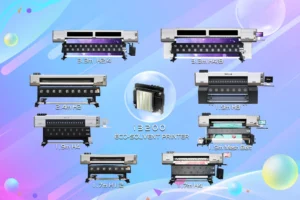


The printhead is the most critical component of all digital printers, such as solvent printer, eco-solvent printer, UV printer, UV Dtf Printer and Transfer Paper printer. Therefore, it’s essential to not only perform regular maintenance but also to pay close attention to situations that should be avoided during use. Good usage habits are key to extending the printhead’s lifespan and reducing the costs associated with replacing the printhead due to improper operation. We’ll provide some daily maintenance tips and precautions for using the printhead.
Daily Maintenance
To prevent clogging caused by the adhesion of dust and impurities on the nozzle surface, clean the printing area and the surface of the printing media. Before printing, check the height between the bottom plate of the carriage and the media to avoid scratching during operation. After powering on, conduct a nozzle check. If any anomalies are found, promptly proceed with the cleaning process. During printing, if there are any abnormalities in the printed image, stop the printing immediately and perform the cleaning process. If the printing is paused or stopped for more than five minutes, it’s recommended to either return the carriage to its home position or activate the ink Flushing mode.
Usage Precautions
Static:Interference:Static electricity is known as the number one killer of printheads. An excessively dry working environment can generate large amounts of static electricity, which can directly damage the printhead circuitry. Additionally, using certain printing materials can generate static electricity, leading to printhead damage or causing impurities to accumulate, resulting in clogging.
Solution: Proper grounding is crucial. The best practice is to ground both the machine and the computer separately, connecting them with a thick copper wire (preferably 4 square millimeters or larger) to ensure good grounding.
Ink Quality: Ink contains various chemical components. Poor filtration, excessive viscosity, or substandard moisturizing agents can easily cause printhead malfunctions.
Solution: Switch to original Wit-Color high-quality Ink.
Improper Operation and Maintenance: Physical damage can occur when the edges of media like paper become curled and scratch the metal plate at the bottom of the printhead during printing, damaging the nozzles and preventing proper ink ejection.
Solution: Frequently monitor the media feed during printing. If you notice any curled edges, promptly adjust the media or media holder.
Residual Ink on nozzle surface: If too much ink accumulates at the bottom of the printhead,it will form ink drop and block ink jeting, while the drop size is big enough, it will drip onto the media and mess up the printed images.
Solution: Regularly clean the printhead. Adopting correct operating and maintenance practices can extend the printhead’s lifespan, save costs, and increase economic benefits.